
Tracking Spending: Pen-and-Paper Ledger vs. Spreadsheet vs. App
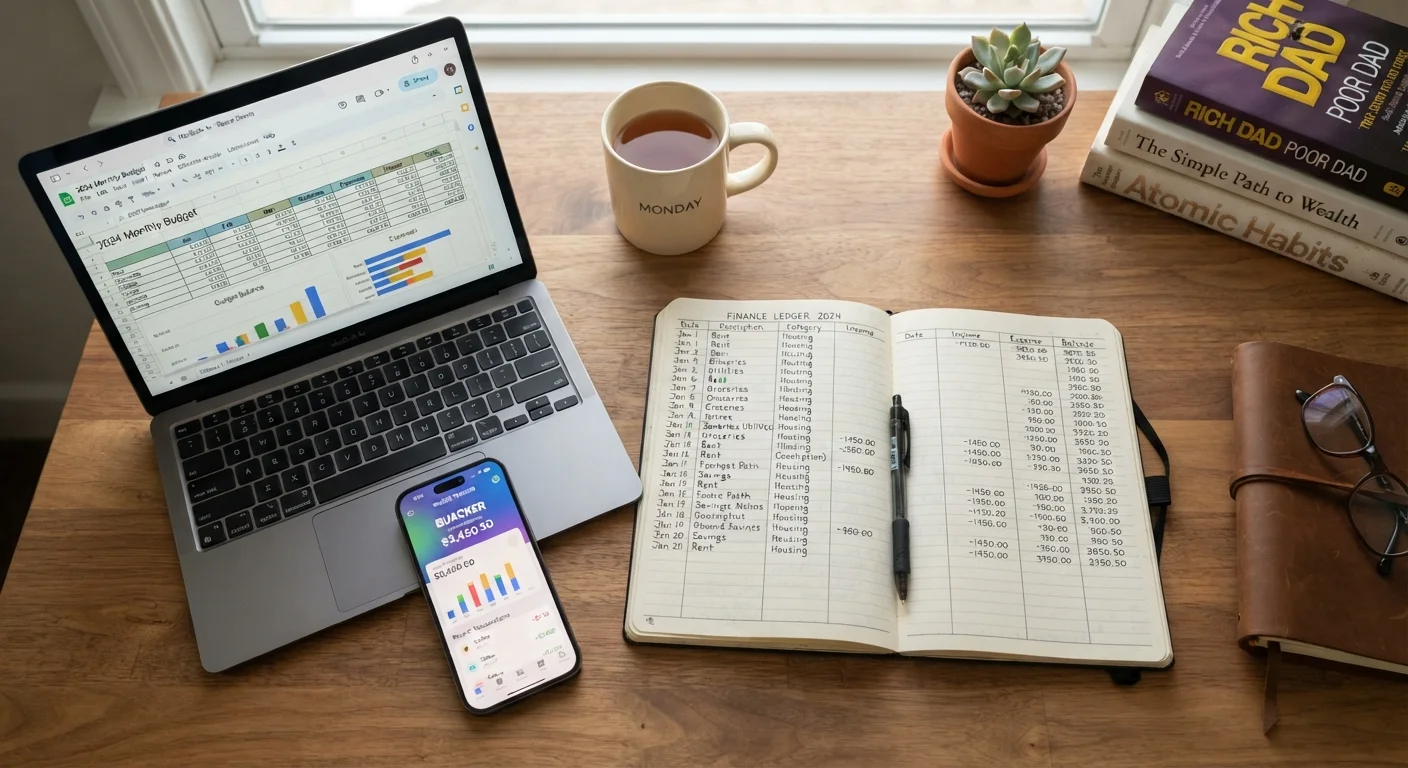
Photo credit: PrimeFaqs.com | Trending And Accurate Content
In this article
Explore the tradeoffs of three common ways to track daily spending—handwritten logs, spreadsheets, and budgeting apps—so you can pick what actually sticks.
Key Takeaways
- Handwritten ledgers build awareness through friction but require consistent manual effort to maintain.
- Spreadsheets offer flexible customization and are free, but demand a working knowledge of formulas and structure.
- Budgeting apps automate data entry and send alerts, yet require linking financial accounts and trusting a third-party platform.
- The most effective tracking method is the one you will actually use week after week.
- Combining methods - such as a paper log for daily spending plus an app for monthly summaries - is a valid strategy.
Why Your Tracking Method Matters More Than Your Budget Template
Building a budget is straightforward. The harder part is recording what you actually spend, day after day, so your budget reflects reality instead of intention. Tracking spending consistently is the single habit that separates people who know where their money goes from those who wonder at month's end.
The three most common methods - a handwritten ledger, a spreadsheet, and a dedicated budgeting app - each support that habit differently. If you're still building your first budget, the step-by-step starting point covers how to set spending categories before you begin tracking. Once your categories are set, choose a recording method you can stick with.
| Pen-and-Paper Ledger | Spreadsheet | Budgeting App | |
|---|---|---|---|
| Data entry method | Manual, handwritten | Manual or CSV import | Automatic via bank sync |
| Setup effort | Very low | Low to moderate | Moderate (account linking) |
| Cost | Near zero (notebook) | Free to low cost | Free tier or subscription fee |
| Customization | Fully flexible | Fully flexible | Limited to app structure |
| Privacy | Highest - no accounts linked | High - local or personal cloud | Lower - third-party data access |
| Best for cash spenders | Yes | Yes, with effort | No - cash not tracked automatically |
| Reporting and visualizations | None built-in | Manual charts possible | Automatic graphs and trends |
| Risk of lapsing | Higher without routine | Moderate | Lower with automation |
Pen-and-Paper Ledger: Slow, Intentional, and Surprisingly Effective
Writing down every purchase by hand creates a small but meaningful moment of awareness. Research in cognitive science consistently links the physical act of writing to stronger memory encoding, and many people report that manually recording a $6 coffee makes them more thoughtful about the next one. There's no app notification required - the friction is the feature.
A basic ledger setup needs only a notebook divided into columns: date, description, category, and amount. Totals are calculated by hand at the end of each week or month. This method works especially well for people who spend largely in cash, live simply, or find digital tools overwhelming.
The drawbacks are real, though. Manual entry is time-consuming, math errors happen, and a forgotten notebook means gaps in your record. If your spending spans multiple bank accounts and credit cards, keeping a complete picture by hand becomes difficult quickly.
Start Small to Build the Habit
If you've never tracked spending before, begin with just one week and a single category - such as food and dining. A narrow, low-pressure start makes it far easier to build the habit gradually. Once recording one category feels natural, add others. Consistency over a short window beats a perfect system abandoned after two weeks.
Spreadsheets: Maximum Flexibility, Moderate Learning Curve
A well-built spreadsheet sits between the analog ledger and a full-featured app. Programs like Google Sheets or Excel let you design exactly the categories and layout you want, apply formulas to calculate totals automatically, and create charts that show spending trends over time - all without linking a single bank account.
That privacy is a genuine advantage. Your data stays on your device or within your personal cloud account, not on a third-party server. Free templates are widely available and require minimal formula knowledge to use effectively.
The limitation is setup time and discipline. Someone comfortable with spreadsheets can build a functional tracker in under an hour. Someone who has never used a formula may struggle with the initial configuration. Either way, transactions still need to be entered manually - there's no automatic import unless you export CSV files from your bank and paste them in.
Spreadsheets scale well for couples, too. A shared Google Sheet gives two people simultaneous access. See our guide on budgeting as a couple for frameworks that pair naturally with a shared tracker.
Budgeting Apps: Automation With Trade-offs
Budgeting apps can connect directly to your bank accounts and credit cards, categorize transactions automatically, and alert you when spending in a given category is approaching its limit. For people with complex financial lives - multiple accounts, regular subscriptions, variable income - that automation removes the largest barrier to consistent tracking.
Most apps also generate visual reports: monthly spending by category, trends across several months, and comparisons against your set targets. This makes the month-end spending audit significantly faster, since the data is already organized.
The trade-offs involve privacy and cost. Connecting financial accounts to a third-party app means accepting that platform's data security practices and terms of service. Some apps are free with limited features; others charge monthly or annual subscription fees. Automatic categorization is also imperfect - recurring transactions are often miscategorized and require manual correction.
Review App Permissions Before Linking Accounts
Before connecting a bank account to any budgeting app, read the platform's privacy policy and understand what data is collected, stored, and potentially shared. Look for apps that use read-only access - meaning they can view transactions but cannot move money. If an app's data practices are unclear, consider a spreadsheet or ledger approach instead.
Choosing What Will Actually Stick
The practical question isn't which method is objectively best - it's which method matches how you already move through your day. Consider three factors:
- How you pay: Heavy cash users benefit most from a physical ledger. Card-dominant spenders gain more from an app or spreadsheet that can capture every transaction.
- How much time you'll commit: A daily two-minute log entry is realistic for most people. Anything requiring 20 minutes of reconciliation each evening is likely to lapse.
- Your comfort with technology: Spreadsheet formulas and app account-linking both have learning curves. Be honest about how much troubleshooting you're willing to do at the start.
Some people find that a hybrid approach works best: jot purchases in a pocket notebook during the day, then transfer totals to a spreadsheet weekly. Others use an app for automated tracking but keep a paper note of cash spending. There's no rule that limits you to one method. What matters is that at month's end, you have an accurate record to work from - the kind that makes a monthly spending review genuinely useful rather than a guessing exercise.
This article is for general informational and educational purposes only and does not constitute personalized financial advice. Consult a qualified financial professional for guidance tailored to your specific situation.

Author
Personal Finance Editorial Team
Personal Finance Editorial Team is the collective byline for our editorial team and contributor network. Articles published under this byline or an editorial pen name are researched, written, and reviewed according to our editorial standards for clarity, consistency, and independence before publication.
View all articles →